Already a customer? Sign in

Take A Number, by Don't Sleep On AI
Take a number.Now on your phone.
Guests scan your QR code, take a number and follow their place on a private phone page. Then they are free to wander until it is their turn.
$10/month or $99/year. Card required for the trial.
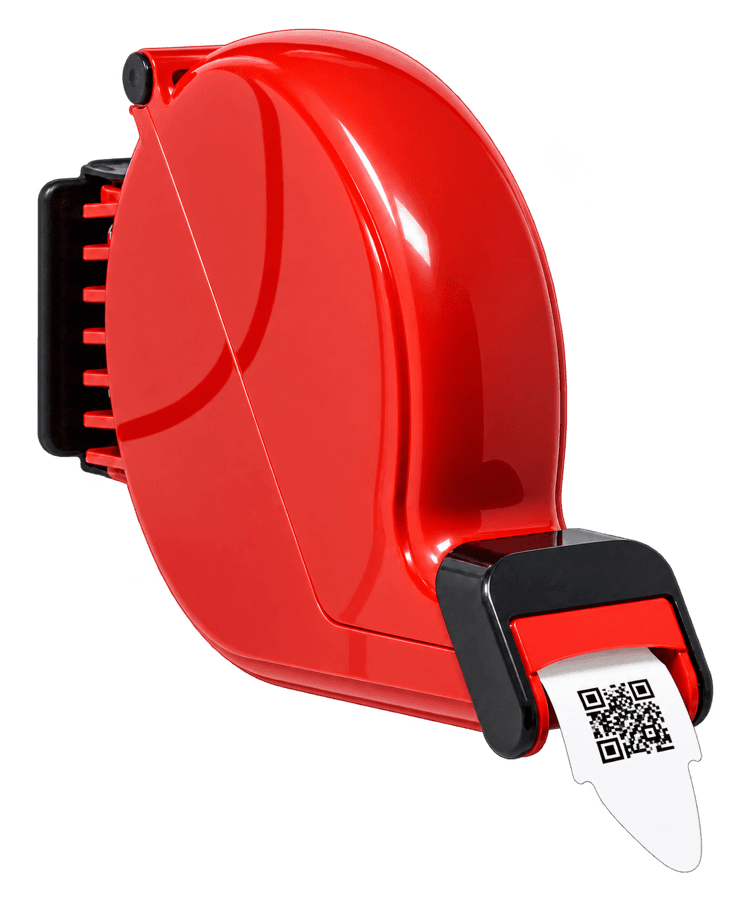
How it works
Put up your QR code
Print the QR poster for your line and place it where people wait.
Guests scan and join
They point their phone camera at the code and join the line in the browser. No app to download.
They watch their place live
Each guest gets a private phone page that shows their place in line as it moves, so they are free to step away.
Staff tap Next
From any phone, tablet or computer with a browser, staff call the next person with one tap.
The TV board shows who is up
Put a "Now serving" board on any screen with a browser so everyone in the room can see the current number.
We text them when it is their turnComing at launch
Guests who opt in get a text when they are called, paid for from your prepaid text credits.
The screens
Real screenshots of the app, using a made-up bakery and made-up guests.
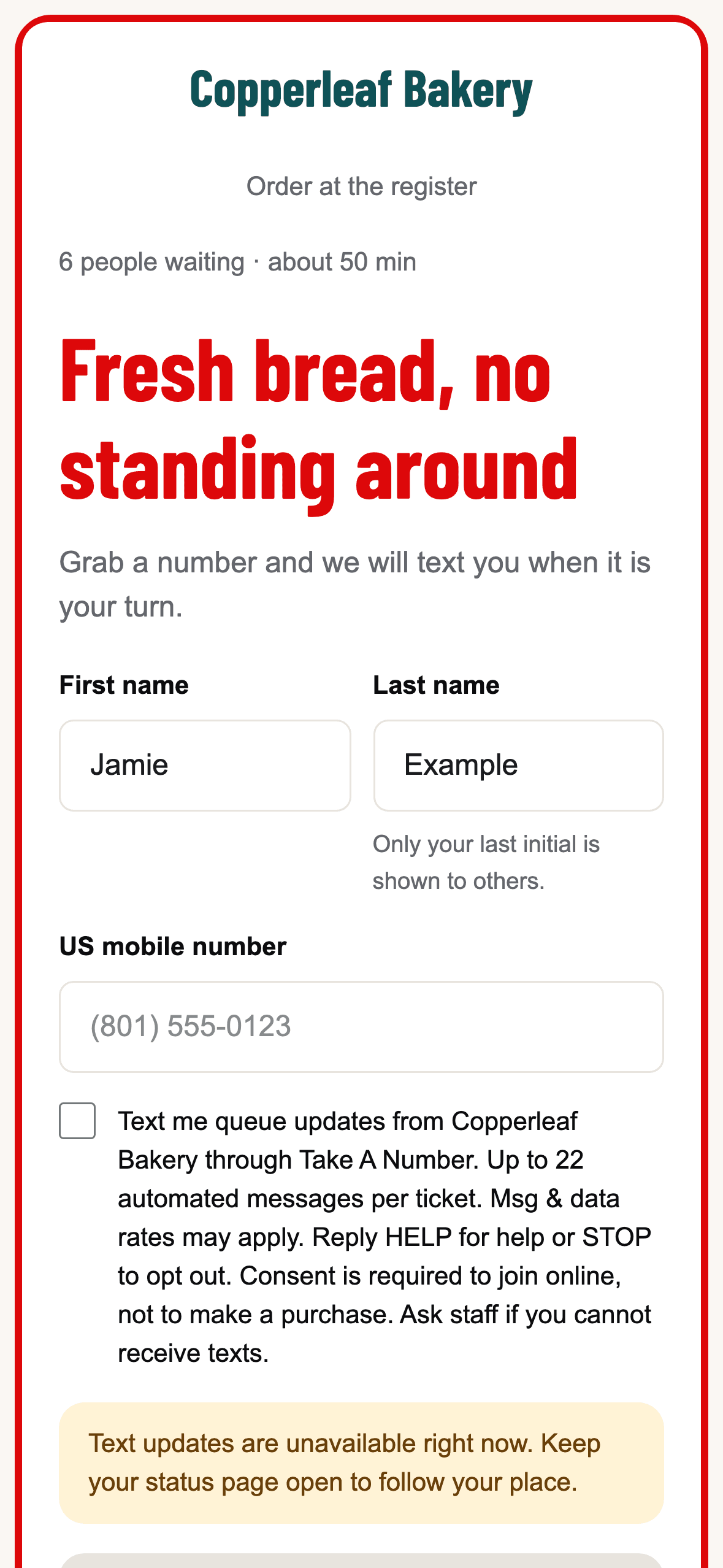
Example: Joining the line 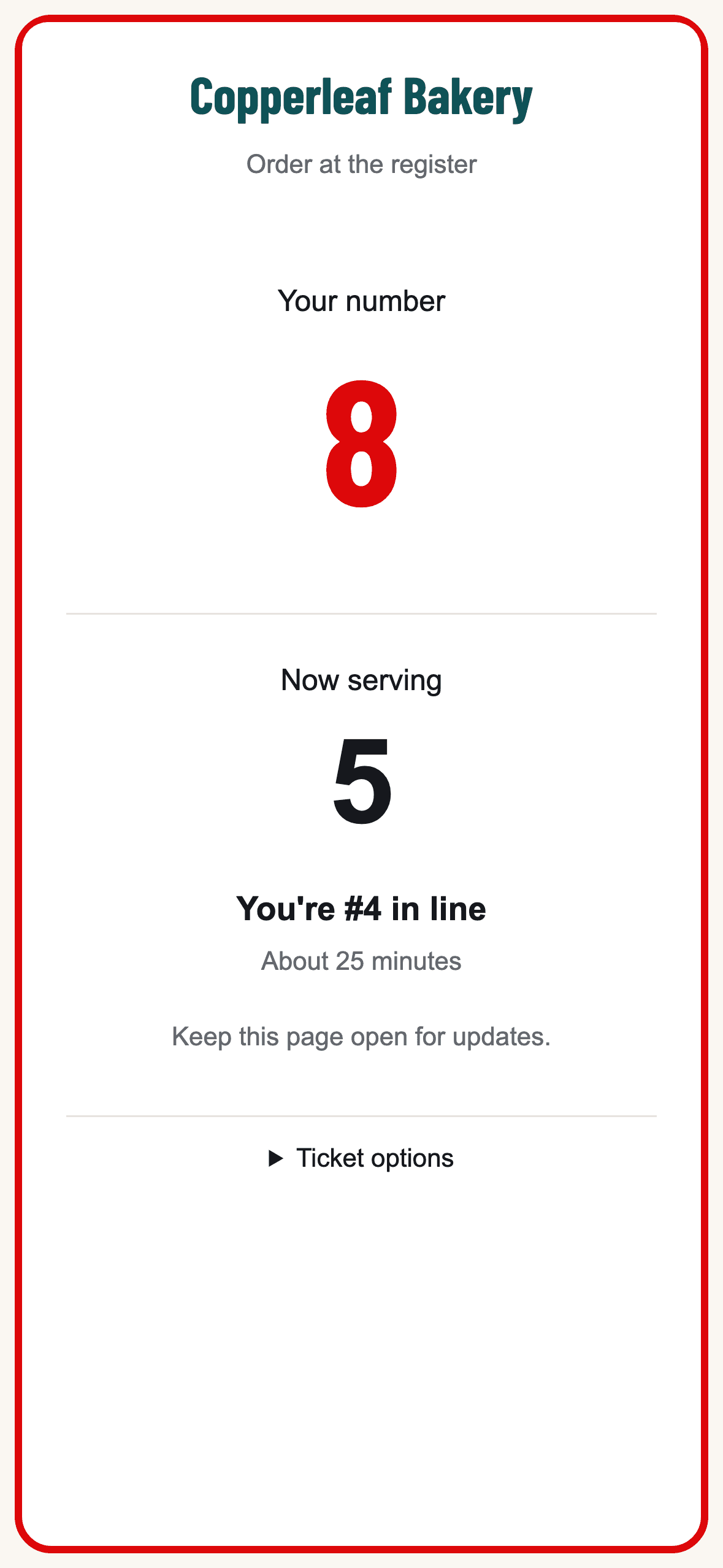
Example: The guest's private status page 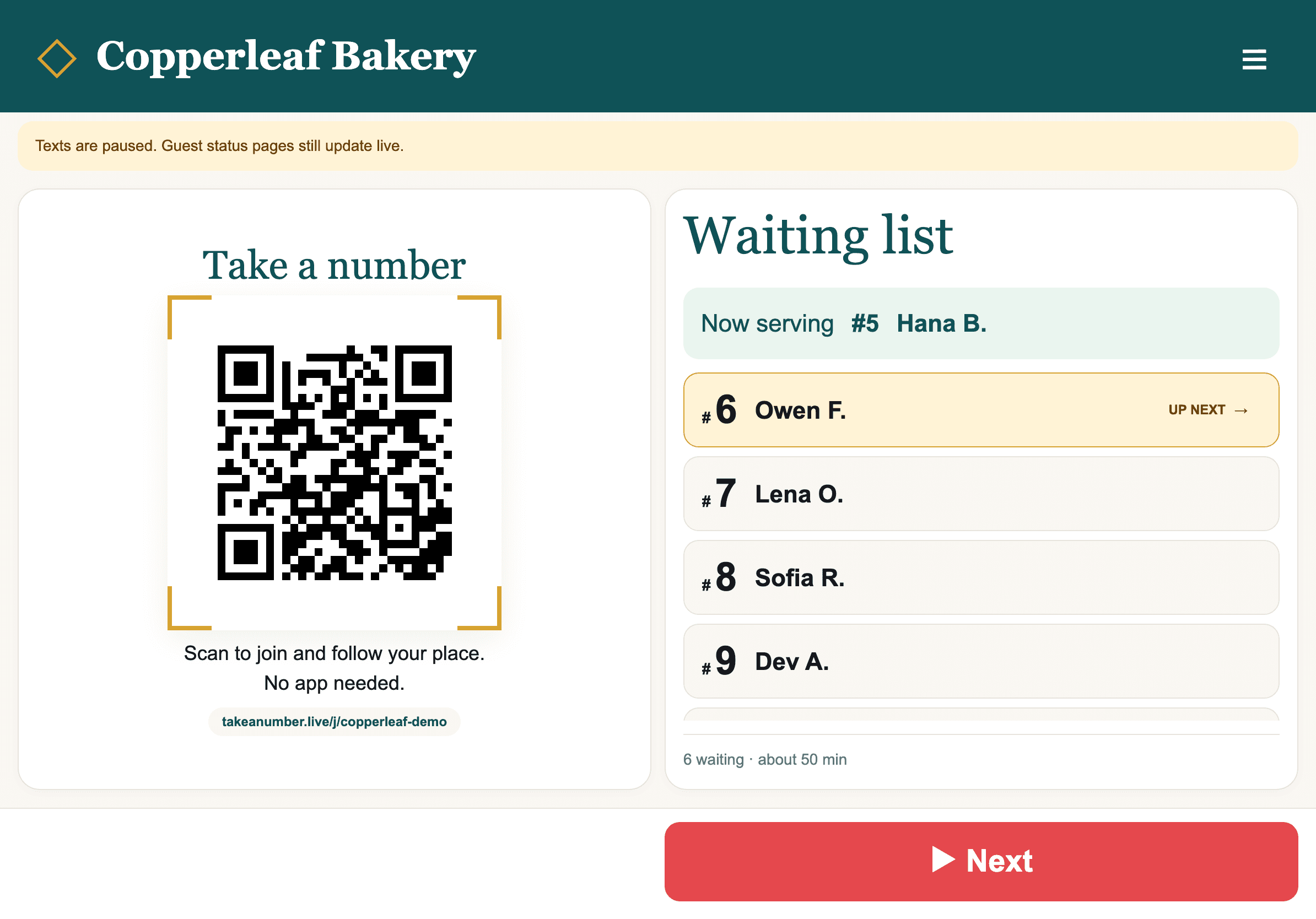
Example: The staff counter on an iPad 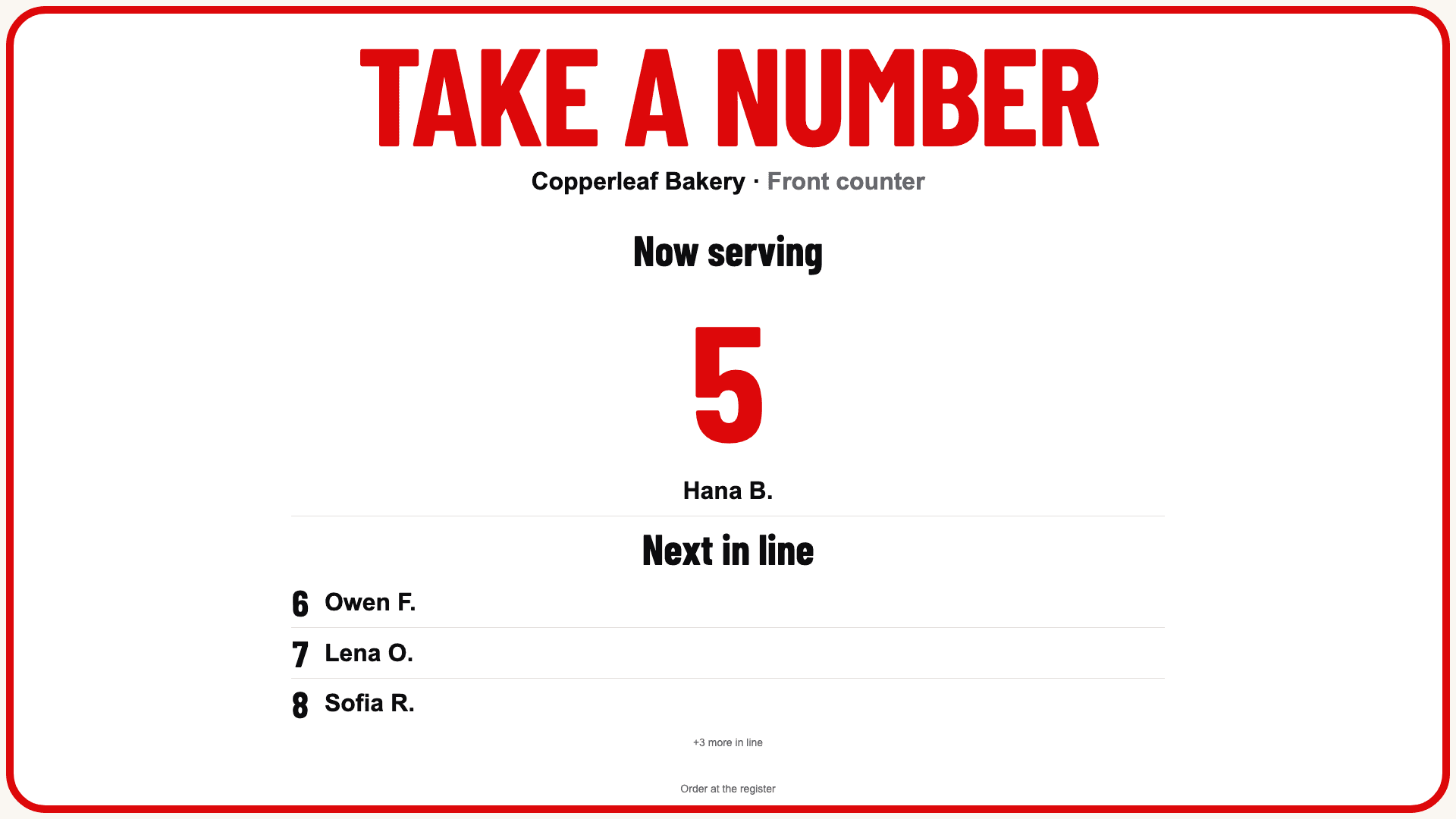
Example: The TV "Now serving" board 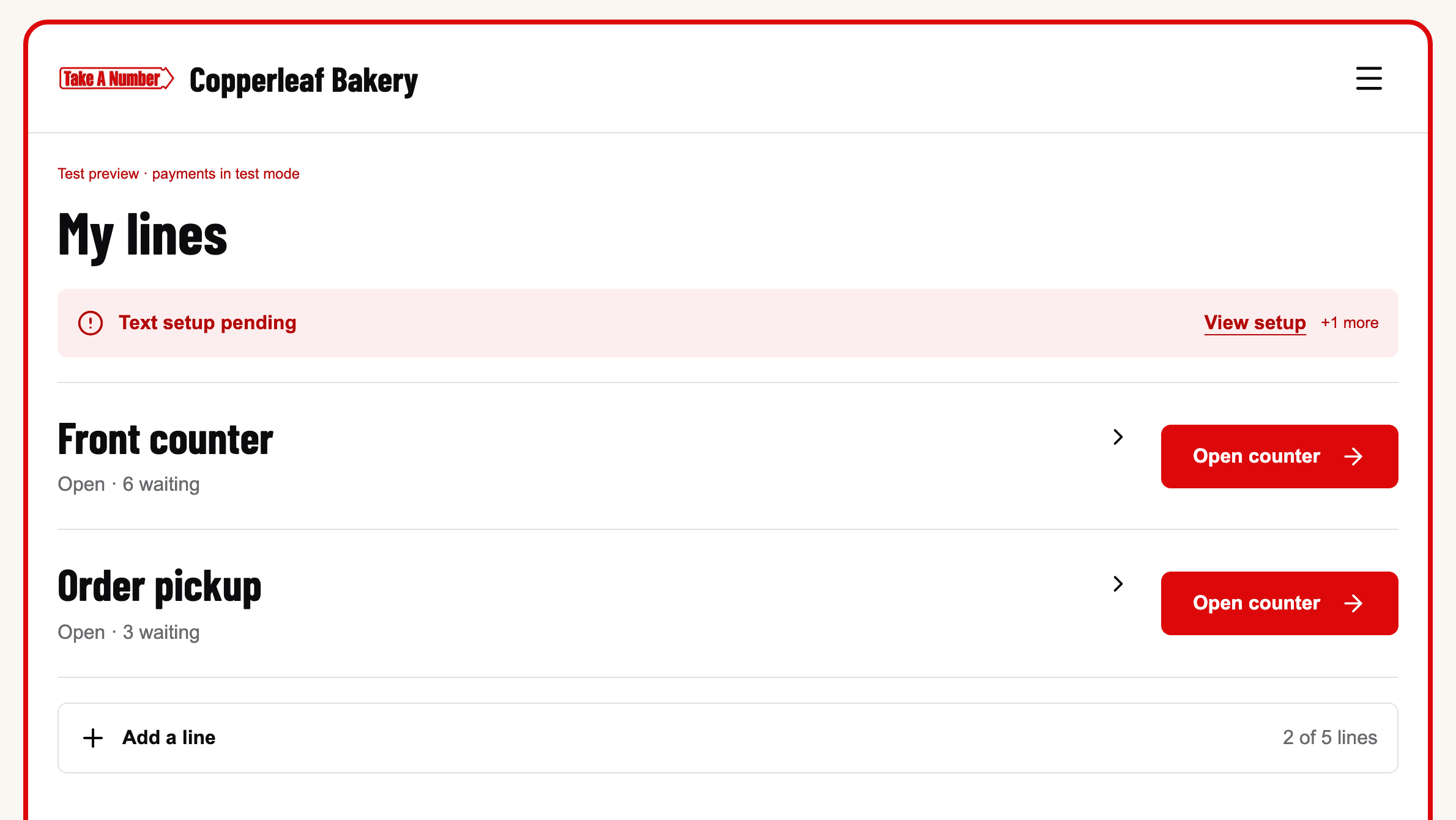
Example: The owner's My lines page 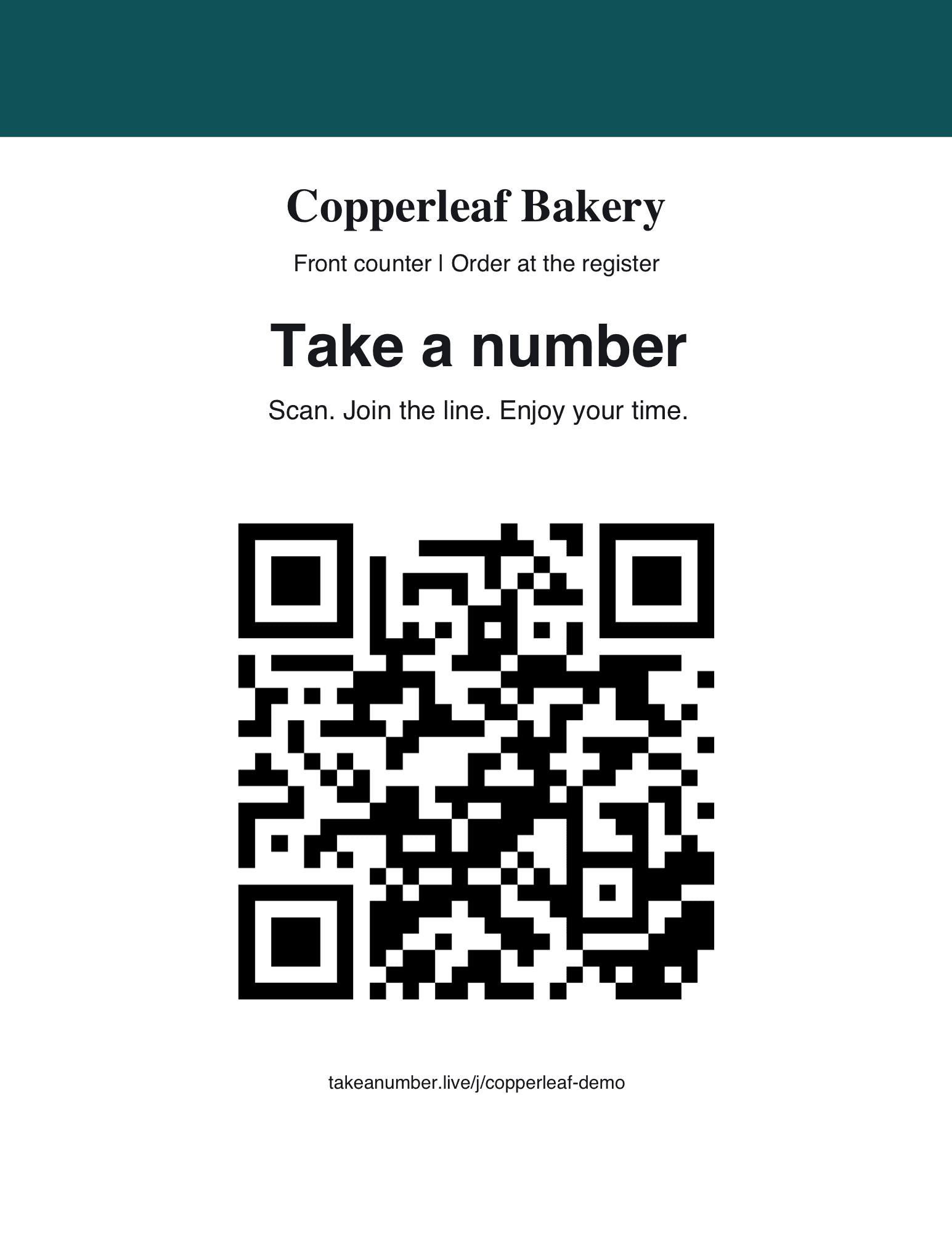
Example: The printable QR poster
Who it is for
Any small business where people wait their turn or wait for an order.
- Cafés and delis
- Salons and barbers
- Food trucks
- Market booths
- Service counters
- Order pickup
What you get
Up to 5 lines
Run separate lines for different counters, services or pickup.
Up to 20 team members
Owner included. Give each person the Owner, Manager or Staff role and choose which lines they can use.
TV "Now serving" boards
A line board or an order-ready board for any screen with a browser.
Printable QR posters
Download a poster for each line, print it and put it up.
Pause and reopen
Stop new joins for a while without losing the people already waiting.
Name-only guests
Add someone without a phone by name so nobody is left out.
History
See your line history and how long people waited.
Your branding
Add your logo and colours, and set the wording guests see.
Text alertsComing at launch
Optional texts to guests when they are called, paid from prepaid credits. Guests can reply STOP to opt out.
AI-agent APIComing at launch
Connect an AI agent to help with setup. You approve what it may do and review what it drafts.
Roles and limits
- Owner
- Sets up the company, billing and team. Counts toward the 20 team members.
- Manager
- Helps run lines and the team day to day.
- Staff
- Works the counter on the lines you give them.
Pricing
One plan with everything in it. Pay monthly or yearly.
- 14-day free trial. A card is required to start it.
- Cancel before the trial ends and the subscription is not charged.
- Yearly saves $21 compared with paying monthly.
- 5 lines and 20 team members on either plan.
Text credits
- Texts are prepaid separately from the plan. You choose $10–$100 of credit at checkout (it starts at $20).
- That credit is charged at checkout, including during the trial.
- Each sent text costs the text provider's charge plus $0.01.
- Auto-recharge is optional and starts off. With it off, texts pause when your credit runs out. Your line keeps working.
After you sign up
You get a step-by-step setup course on dontsleeponai.com that walks through your account, your first line and QR poster, the counter, TV boards, your team and your history. Lessons on texting and AI agents open once those features are live.
Questions
Do guests need an app?
No. Guests scan your QR code with their phone camera and join in the browser.
What devices do staff use?
Any phone, tablet or computer with a web browser. The counter screen can be added to an iPad Home Screen.
What happens after the trial?
Your plan ($10/month or $99/year) starts when the 14-day trial ends, unless you cancel before then.
How do text credits work, and what if they run out?Coming at launch
You prepay $10–$100 of credit at checkout, and each sent text uses the provider's charge plus $0.01. If credit runs out and auto-recharge is off, texts pause until you add more. Your line keeps working either way.
Can guests opt out of texts?Coming at launch
Yes. Texting is optional for guests, and they can reply STOP at any time to stop texts.
Can I cancel?
Yes, from Texts & billing in your admin. Cancel during the trial and the subscription is not charged.
Is my guests' data private?
Guest phone numbers stay private. They are never shown on the TV board or to other guests. The Take A Number Privacy Policy has the details.
Who is Take A Number from?
Take A Number is built by Don't Sleep On AI. Its own Terms and Privacy Policy apply when you sign up.
Set up your line
14-day trial, card required. Text credits are prepaid separately and charged at checkout.
Signing up takes you to the Take A Number app, where its own Terms of Service and Privacy Policy apply. Features tagged “Coming at launch” are not available yet.