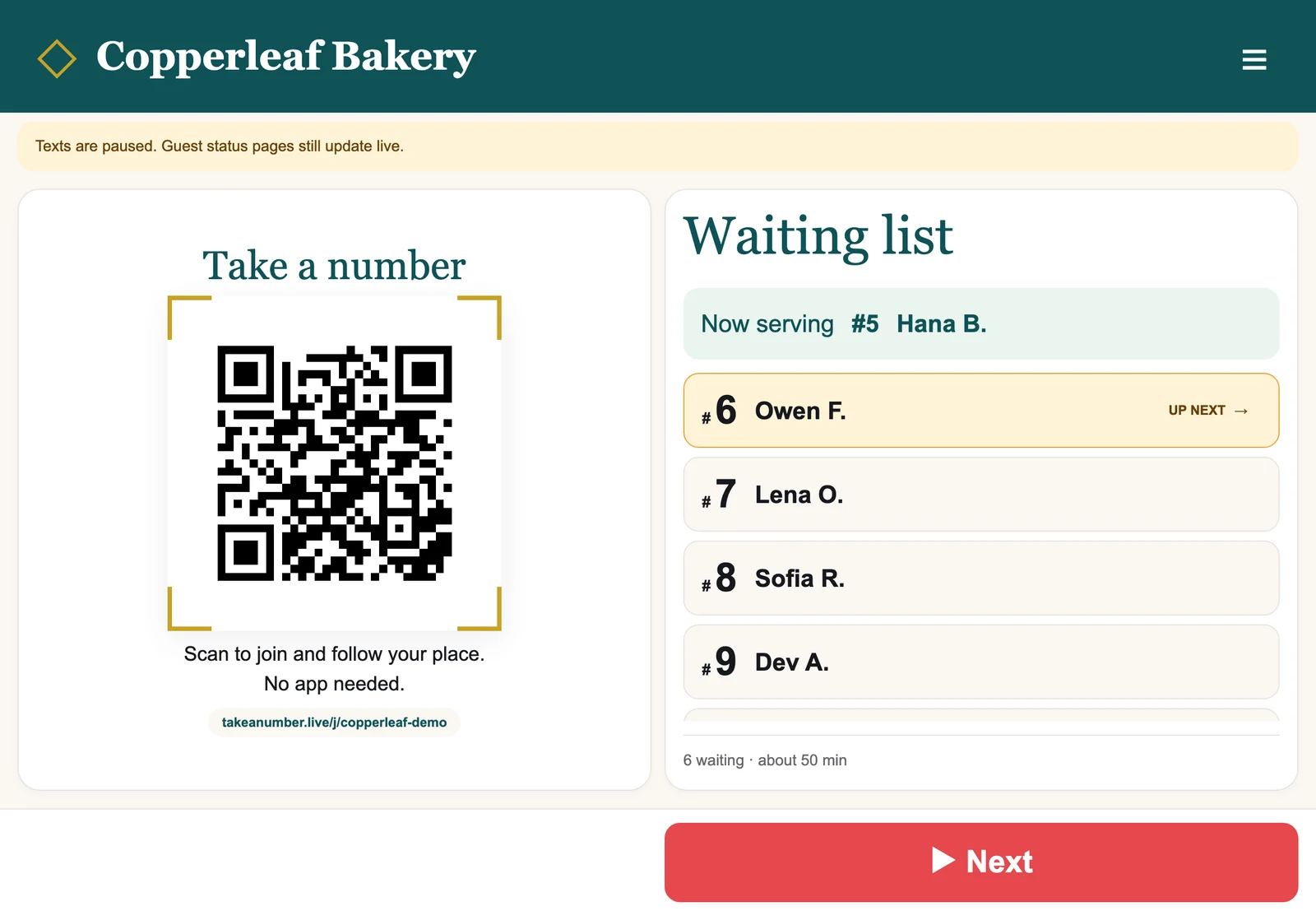
Take A Number gives your business a virtual line. Guests scan a QR code with their phone camera, type their name, and get a private page that shows their place in line. Nobody has to stand around at the counter, and nobody needs to download an app.
Your staff run the line from a counter screen. On a busy day that's mostly one button: Next.
Your owner home screen, "My lines". Every screenshot in this course comes from a made-up demo bakery.
By the end of this course you will have
Your company set up with your name, logo and colours.
Your first line created, paid for and open.
A QR code printed and placed where guests can see it.
An iPad (or phone) at the counter, signed in and locked to the counter screen.
Optionally, a TV that shows Now serving and who is next.
Your team invited, each person seeing only the lines you give them.
A clear picture of what your guests see, how text credits work, and how billing works.
The staff counter on an iPad. Guests scan the QR code; staff tap Next.
One honest note before you start
Take A Number is built to send guests text messages ("It's your turn!"). Texting is not switched on yet. It is waiting on carrier registration. Until then your line works fully without texts: each guest follows their place live on their own status page. We'll point this out wherever it matters.